Apr 12, 2023
TechnologyUse diskutil for Change the EFI partition:

Copy from iso’s EFI to disk’s EFI:
% cp -r /Volumes/EFI/EFI /Volumes/EFI\ 1/
% sudo sync
% sudo shutdown -h now
Enable ssh:

Then we could use ssh via:
# ssh test@192.168.1.129
X11 forwarding request failed on channel 0
Last login: Wed Apr 12 10:45:16 2023 from 192.168.1.222
test@tests-iMac-Pro ~ % uname -a
Darwin tests-iMac-Pro.local 21.6.0 Darwin Kernel Version 21.6.0: Thu Mar  9 20:08:59 PST 2023; root:xnu-8020.240.18.700.8~1/RELEASE_X86_64 x86_64
Copy and replace EFI using igpu optimized version.
above 4G decoding forbid the hackintosh igpu passthrough.
Apr 12, 2023
TechnologyAbove 4G Decoding (Available if the system supports 64-bit PCI decoding) Select Enabled to decode a PCI device that supports 64-bit in the space above 4G Address. The options are Enabled and Disabled.
翻译:
G以上解码(如果系统支持64位PCI解码,则可用)选择 “已启用 “来解码一个支持64位的PCI设备,在4G地址以上的空间。选项是已启用和已禁用。
禁用的情况:
root@mac:~# lspci -v | grep "Memory.*64-bit"
	Memory at d0000000 (64-bit, prefetchable) [disabled] [size=256M]
	Memory at e0000000 (64-bit, prefetchable) [disabled] [size=2M]
	Memory at fcf60000 (64-bit, non-prefetchable) [size=16K]
	Memory at fce04000 (64-bit, non-prefetchable) [size=4K]
	Memory at fce00000 (64-bit, non-prefetchable) [size=16K]
	Memory at b0000000 (64-bit, prefetchable) [size=256M]
	Memory at c0000000 (64-bit, prefetchable) [size=2M]
	Memory at fca00000 (64-bit, non-prefetchable) [size=1M]
	Memory at fc900000 (64-bit, non-prefetchable) [size=1M]
开启的情况:
idv@idv-TC-9070:~$ sudo lspci -v | grep "Memory.*64-bit"
	Memory at de000000 (64-bit, non-prefetchable) [size=16M]
	Memory at c0000000 (64-bit, prefetchable) [size=256M]
	Memory at df110000 (64-bit, non-prefetchable) [size=64K]
	Memory at df12d000 (64-bit, non-prefetchable) [size=4K]
	Memory at df120000 (64-bit, non-prefetchable) [size=16K]
	Memory at df100000 (64-bit, non-prefetchable) [size=64K]
	Memory at df12a000 (64-bit, non-prefetchable) [size=256]
	Memory at df000000 (64-bit, non-prefetchable) [size=4K]
	Memory at d0000000 (64-bit, prefetchable) [size=16K]
Other options in bios
peci:
PECI是用于监测CPU及芯片组温度的一线总线(one-wire bus),全称是Platform Environment Control Interface。
Apr 10, 2023
TechnologyInstall Prerequisite packages:
$ sudo apt-get install qemu uml-utilities virt-manager git \
    wget libguestfs-tools p7zip-full make dmg2img -y
$ cat kvm.conf
options kvm_intel nested=1
options kvm_intel emulate_invalid_guest_state=0
options kvm ignore_msrs=1 report_ignored_msrs=0
$ sudo cp kvm.conf /etc/modprobe.d/
$ echo 1 | sudo tee /sys/module/kvm/parameters/ignore_msrs
$ sudo usermod -aG kvm $(whoami)
$ sudo usermod -aG libvirt $(whoami)
$ sudo usermod -aG input $(whoami)
Clone related repository:
git clone https://github.com/vivekmiyani/OSX_GVT-D
git clone --recursive https://github.com/kholia/OSX-KVM.git
cd OSX-KVM
git checkout 88154b5bac079473660afc2a89704874cc7edf03
Choose Monterey for downloading:
$ ./fetch-macOS-v2.py
1. High Sierra (10.13)
2. Mojave (10.14)
3. Catalina (10.15)
4. Big Sur (11.6) - RECOMMENDED
5. Monterey (latest)

Choose a product to download (1-5): 5
Monterey (latest)
Format the disk and install macos in kvm:
dmg2img -i BaseSystem.dmg BaseSystem.img
qemu-img create -f qcow2 mac_hdd_ng.img 128G
./OpenCore-Boot.sh
Apr 3, 2023
TechnologyInstall cubic(ubuntu 22.04.2):
sudo apt-add-repository universe
sudo apt-add-repository ppa:cubic-wizard/release
sudo apt update
sudo apt install --no-install-recommends cubic
Then start cubic and following the guideline.
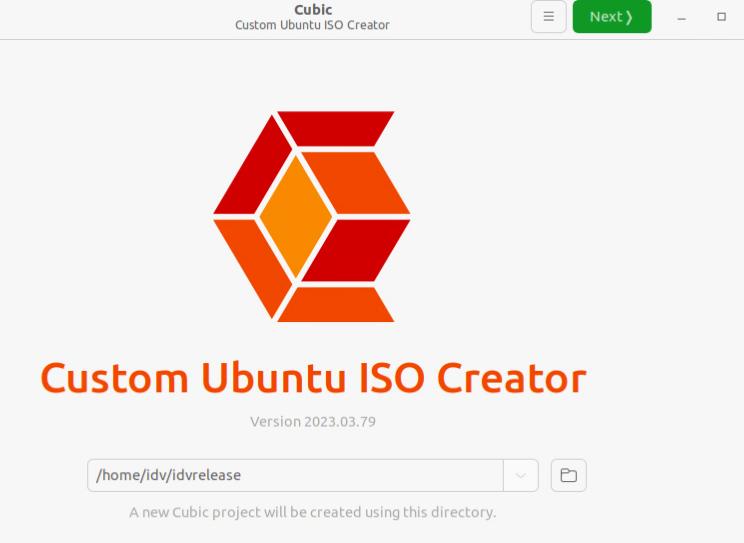
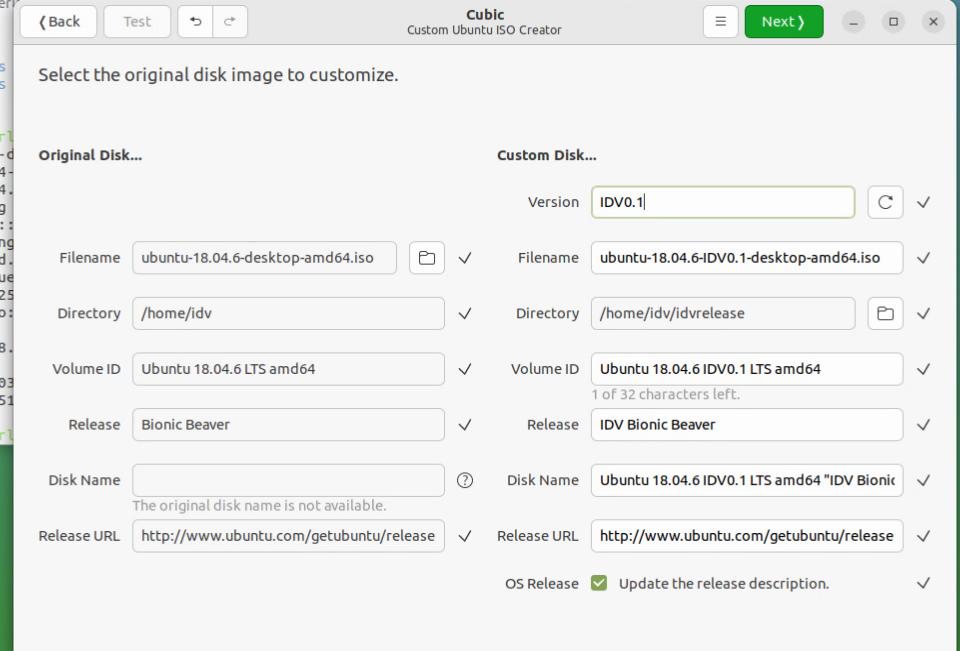
In terminal do:
root@cubic:~# history
    1  dpkg -l
    2  gsettings set org.gnome.desktop.session idle-delay 0
    3  gsettings set org.gnome.desktop.screensaver ubuntu-lock-on-suspend false
    4  vi /etc/default/apport
    5  passwd
    6  which vim
    7  apt install openssh-server
    8  vim /etc/ssh/sshd_config
    9  vi /etc/ssh/sshd_config
   10  dpkg -l | grep thunderbird
   11  sudo apt remove thunderbird
   12  dpkg -l | grep libreoffice
   13  sudo apt remove libreoffice
   14  sudo apt remove libreoffice*
   15  sudo apt remove libreoffice-core
   16  dpkg -l | more
   17  apt install -y sddm
   18  apt-cache search sddm
   19  apt update
   20  vi /etc/apt/sources.list
   21  ap tupdate
   22  apt update
   23  apt install sddm
   24  apt-cache search sddm
   25  apt-cache search build-essential
   26  apt-get policy build-essential
   27  apt-get search build-essential
   28  apt-cache policy build-essential
   29  vi /etc/apt/sources.list
   30  apt-get update
   31  apt-cache search sddm
   32  sudo apt install -y sddm
   33  df -h
   34  history
   35  useradd -m ctyunidv
   36  passwd ctyunidv
   37  mkdir -p /etc/sddm.conf.d/
   38  vim /etc/sddm.conf.d/autologin.conf
   39  vi /etc/sddm.conf.d/autologin.conf
   40  apt install -y iotop
   41  history
   42  clear
   43  ls
   44  vi /etc/default/grub
   45  update-grub2
   46  vim /etc/initramfs-tools/modules
   47  vi /etc/initramfs-tools/modules
   48  update-initramfs -u -k all
   49  which scp
   50  scp ctyunidv@172.23.119.211:~/CtyunDesktopIDV_1.0.2_101000200_x64_03-17-11-20.deb .
   51  scp ctyunidv@172.23.119.211:~/ctgcd-clouddesktop-idvagent.war .
   52  ls
   53  sudo apt install -y ./CtyunDesktopIDV_1.0.2_101000200_x64_03-17-11-20.deb
   54  ssh-keygen
   55  cat /root/.ssh/id_rsa.pub
   56  scp root@172.23.119.211:/root/ljr/linux-image-5.10.90-c1dc2c9a39ac_5.10.90-c1dc2c9a39ac-17_amd64.deb .
   57  apt install -y ./linux-image-5.10.90-c1dc2c9a39ac_5.10.90-c1dc2c9a39ac-17_amd64.deb
   58  ls
   59  history
Mar 28, 2023
TechnologySystem Installation
Ubuntu 22.04.2 iso, Install with HWE Kernel Selected.
English-> Ubuntu Server(mimimized) -> Skip Ubuntu Pro -> Install OpenSSH server.
sudo apt update
sudo apt install -y vim sddm libvirt-daemon qemu libvirt-daemon-system-systemd libvirt-daemon-driver-qemu libvirt-daemon-system libvirt0
Examine the version:
$ qemu-system-x86_64 --version
QEMU emulator version 6.2.0 (Debian 1:6.2+dfsg-2ubuntu6.6)
Copyright (c) 2003-2021 Fabrice Bellard and the QEMU Project developers
System Configuration
Kernel and modules:
# sudo vim /etc/default/grub
......
GRUB_CMDLINE_LINUX_DEFAULT="intel_iommu=on intel_iommu=pt kvm.ignore_msrs=1"
......
# sudo update-grub2
# sudo vim /etc/initramfs-tools/modules
......
vfio
vfio_iommu_type1
vfio_pci
vfio_virqfd
# update-initramfs -u -k all
# sudo reboot
Use mate for desktop session:
$ sudo apt install -y mate
libvirt hook should be the same.
sddm autologin :
# mkdir -p /etc/sddm.conf.d
# vim /etc/sddm.conf.d/autologin.conf
[Autologin]
User=idv
Session=mate
while the X Session could be viewd as:
l /usr/share/xsessions/
ubuntu.desktop  ubuntu-xorg.desktop
