Tips On ArchLinux On SSD For SurfacePro

Hardware

Surface Pro, KingShare 128G SSD(USB).

Picture will be updated after successfully installed.

Virtualbox Way

Make a vmdk file which actually points to the USB Disk:

$ sudo VBoxManage internalcommands createrawvmdk -filename ./rawusb1.vmdk -rawdisk \ 
/dev/disk/by-id/usb-KINGSHAR_KS-CUTS25W_123456789010-0:0
$ sudo chown -R YourName rawusb1.vmdk

Now using this rawdisk for starting the VirtualBox based machine.
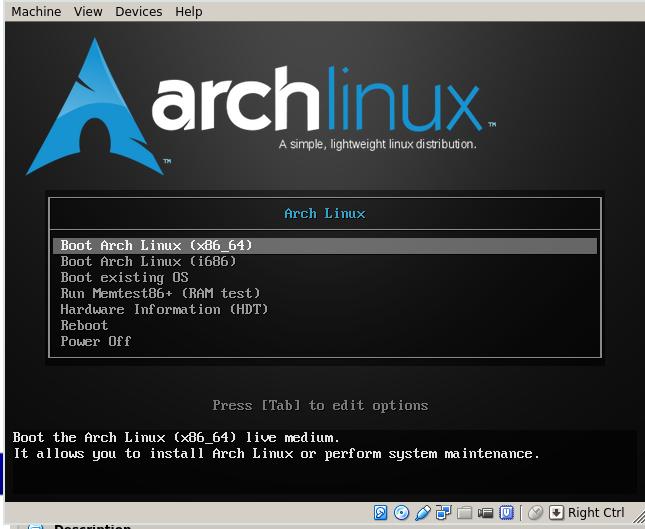
/images/2015_11_18_17_10_46_645x529.jpg

Installation

The system installation is refers to following links:

https://wiki.archlinux.org/index.php/Microsoft_Surface_Pro_3

https://wiki.archlinux.org/index.php/Installing_Arch_Linux_on_a_USB_key

Updated Configuration

Finally I installed the surface pro by using a usb dongle which burned the archlinux installation iso, put it into the surface pro and startup the machine pressing power key and volume down key, it will goes into the installtion steps.

Install the system on the SSD, the main steps are available at:

http://purplepalmdash.github.io/blog/2014/06/16/archlinux-on-surface-pro/

root@archiso ~ # mount /dev/sdb2 /mnt
root@archiso ~ # mount /dev/sdb1 /mnt/boot/EFI 
root@archiso ~ # arch-chroot /mnt /bin/bash
[root@archiso /]# grub-install --target=x86_64-efi --efi-directory=/boot/EFI \ 
--bootloader-id=arch_grub --recheck
[root@archiso /]# grub-mkconfig -o /boot/grub/grub.cfg

Because I frequently change the installtion media(I have SSD and Harddisk), so everytime I change the installtion media, I have to run above steps again.

Kernel Configuration

Install the kernel from yaourt, you could get the surfacepro3 compatiable linux kernel, install it on surface pro will also be OK:

$ yaourt surfacepro
1 aur/linux-surfacepro3 4.3-1 [installed] (5)
    The Linux-surfacepro3 kernel and modules
2 aur/linux-surfacepro3-docs 4.3-1 (5)
    Kernel hackers manual - HTML documentation that comes with the Linux-surfacepro3
kernel
3 aur/linux-surfacepro3-headers 4.3-1 (5)
    Header files and scripts for building modules for Linux-surfacepro3 kernel

After installation, you have to manually generate the grub items:

$ sudo grub-mkconfig -o /boot/grub/grub.cfg

Now reboot the surface pro, you could view the kernel has been upgraded to our newly installed version:

➜  ~  uname -a
Linux surfacepro 4.3.0-1-surfacepro3 #1 SMP PREEMPT Fri Nov 20 05:47:41 CST 2015 x86_64
GNU/Linux

With the new version of kernel, you won’t face too much problems, my problem is when using the official kernel, my wifi will get stucked, sometimes the machine will be dead.
Spice Client

Image Conversion

Convert the vdi files into qcow2 file:

$ qemu-img convert -f vdi -O qcow2 Windows81.vdi Windows81.qcow2

Then continue to create the virtual machine via importing the img.

Spice Client

Using virtviewer for view the remote machine.

$ sudo pacman -S virt-viewer
$ remote-viewer spice://localhost:5900

Or you could view the desktop via spicec.

The listening port could be view via netstat -anp | grep 5900.

Win10 Tips For Using Xshell

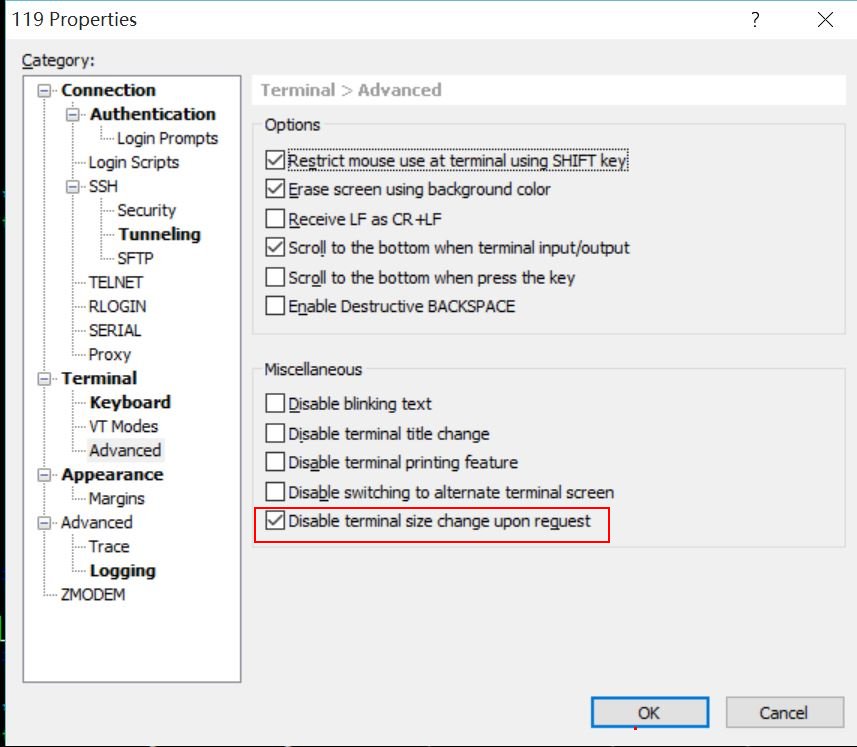
Won’t change the size of the window when you disable the window size:

/images/Xshell_1.jpg

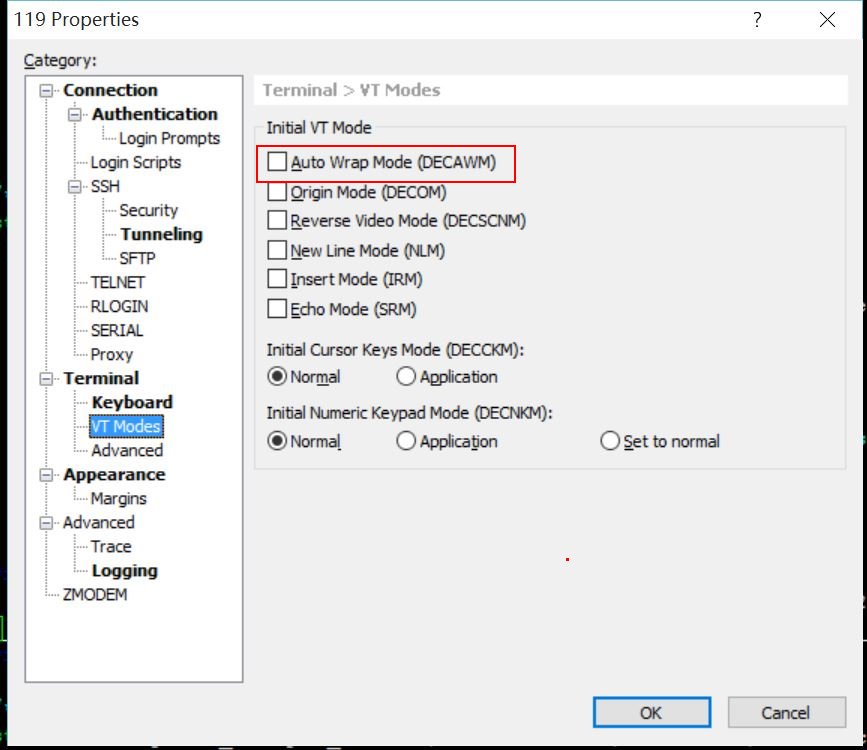
When using vim, the wrappered module should be disable, thus won’t cause you mis-editing the content of the file:

/images/Xshell_2.jpg

The configuration should be applied to each session.

Variety

参考

http://peterlevi.com/variety/how-to-install/

安装

Ubuntu上,从ppa安装:

$ sudo add-apt-repository ppa:peterlevi/ppa
$ sudo apt-get update
$ sudo apt-get install variety

配置

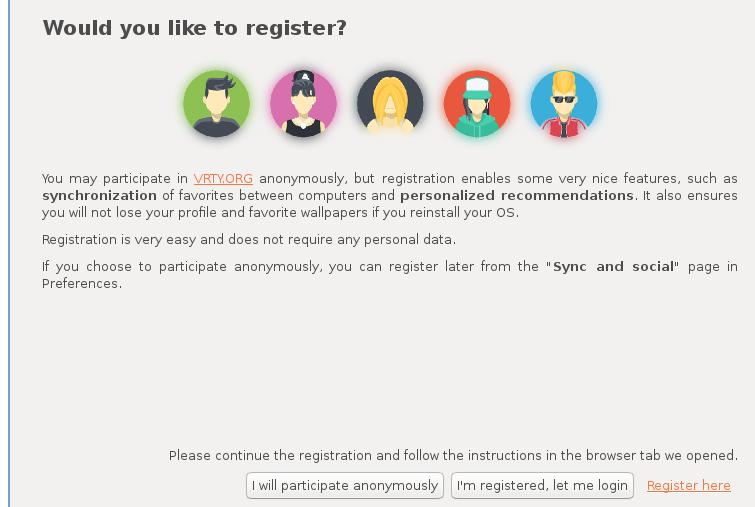
安装完毕后,在终端下键入variety即可开始配置该软件,第一次会询问是否创建一个用于多终端 主机之间同步桌面壁纸的账户:

/images/2015_11_13_11_10_35_755x507.jpg

这一步是可选的,我们在这里先注册上. 需要注意的是,用翻墙后的浏览器完成注册.

一般情况下这里就能使用了,但是awesome桌面环境下需要增加一下这行:

$ vim /home/XXXXXXX/.config/variety/scripts/set_wallpaper
### Finally we comes to awesome!  
awsetbg "$WP" 2> /dev/null

Or: if you use newer version of awesome, awsetbg won’t take effect, use feh instead:

feh --bg-scale "$WP" 2>/dev/null

进一步美化

Awesome下就只能换换壁纸,本身终端也不支持透明度的配置,如果是gnome之类的桌面环境,可以 把terminal emulator的透明度打开,能获得很好的视觉效果。

默认的更新频率是5分钟更新一次,当然在配置界面下可以更改为更短/更长的时限。

Good Material

Movie

Sorted by director:
http://pan.baidu.com/share/home?uk=72456331&view=share#category/type=0

Good BookMark Of Zhihu

http://www.zhihu.com/collection/38938285?page=2

Linux Wondering

http://i.linuxtoy.org/docs/guide/index.html

Oh My Zsh

https://github.com/robbyrussell/oh-my-zsh

http://www.kafeitu.me/shell/2012/03/25/oh-my-zsh.html

https://github.com/robbyrussell/oh-my-zsh/wiki/themes

http://segmentfault.com/a/1190000002658335

Wondering In Guangzhou

http://www.zhihu.com/question/36159147

Impress.js

Use this javascript for writing the PPT.
https://github.com/impress/impress.js

Programming On Dialog

http://www.cyberciti.biz/tips/spice-up-your-unix-linux-shell-scripts.html

https://techbase.kde.org/Development/Tutorials/Shell_Scripting_with_KDE_Dialogs

Remote Control Of Arduino

http://www.geek-workshop.com/thread-25230-1-1.html

Processing

http://open.sina.com.cn/course/id_300/lesson_4094/

KVM Hardware

http://www.cnblogs.com/sammyliu/p/4548194.html

OVS Howto

http://roan.logdown.com/posts/191801-set-openvswitch
http://openvswitch.org/support/config-cookbooks/vlan-configuration-cookbook/
http://notes.yuwh.net/%E5%9C%A8centos7%E4%B8%8A%E9%85%8D%E7%BD%AEopen-vswitch%E5%92%8Cvxlan/

Good Books

http://pan.baidu.com/share/home?uk=2704770694&view=share#category/type=0

http://www.hi-pda.com/forum/viewthread.php?tid=1774264&extra=page%3D1

TOP 5 NEW python module

blog.rtwilson.com/my-top-5-new-python-modules-of-2015

NSX

http://182.92.228.21:8080/chat/ZhibOrDianb?videoNu=video2015_12_02&userId=#rd&sukey=7f8f3cb2e9b0da45ed3acfb7ec91e76ac7b569b3d3190e352be587f5c2a9299faa83829a51886d2e5093f49a8ea542db

http://blog.remibergsma.com/2015/04/04/adding-a-kvm-cluster-with-nsx-networking-to-cloudstack/

http://dailyhypervisor.com/blog-posts/

Improve VM Performance

http://download.techtarget.com.cn//guide/2014/11/improvevmperformance.pdf

Top 10 Projects

https://linux.cn/article-6911-1.html?utm_source=weibo&utm_medium=weibo

Using docker building images

https://github.com/ContainerTribe/diskimage-builder-dockerfile

Things to be done

  1. Mirgration from hard-disk to USB disk.
  2. Hacking into the mouse.
  3. bootstrap themes. http://startbootstrap.com/template-categories/all/

Around opengl

http://www.oschina.net/news/69978/linux-kernel-4-4-lts#0-tsina-1-39202-397232819ff9a47a7b7e80a40613cfe1

Life Quality

https://www.zhihu.com/question/26522007

Necklace

http://search.smzdm.com/?c=faxian&s=%E9%A1%B9%E9%93%BE+%E7%9B%B4%E9%82%AE&p=2

Game Dev 101

https://blog.openshift.com/game-development-101-with-openshift/

Good Shop

http://i.biopatent.cn/

LED DIY

http://www.geek-workshop.com/thread-25319-1-1.html

python new book

python爱好者
新书推荐《data Wrangling with Python Tips and Tools to Make Your Life Easier》

Web Torrent

https://webtorrent.io/desktop

Online IDE

http://www.tutorialspoint.com/compile_java_online.php
nitrous.io

Detection System

http://matthewearl.github.io/2016/05/06/cnn-anpr/