
WorkingTipsOnv2ray
Jun 14, 2022
Technology
Client
Install v2rayA client on archlinux, then yay xray, uninstall all v2ray related.
Refers to https://v2raya.org/docs/manual/use-other-core/
Changes to xray-core
Server
Install acme:
# curl https://get.acme.sh | sh
Generate the certification:
acme.sh --issue --server letsencrypt --test -d www.fuckgfwmother.cn -w /root/blog/html --keylength ec-256
acme.sh --set-default-ca --server letsencrypt
acme.sh --issue -d www.fuckgfwmother.cn -w /root/blog/html --keylength ec-256 --force
Then copy the cerfitication to /etc/xray:
# cp /root/.acme.sh/www.fuckgfwmother.cn_ecc/fullchain.cer /etc/xray/chain.crt
# cp /root/.acme.sh/www.fuckgfwmother.cn_ecc/www.fuckgfwmother.cn.key /etc/xray/key.key
Edit the config.json under the folder /etc/xray, then start the docker instance via:
$ docker run -d -p 443:443 --name xray --restart=always -v /etc/xray:/etc/xray teddysun/xray
Configuration
Via:
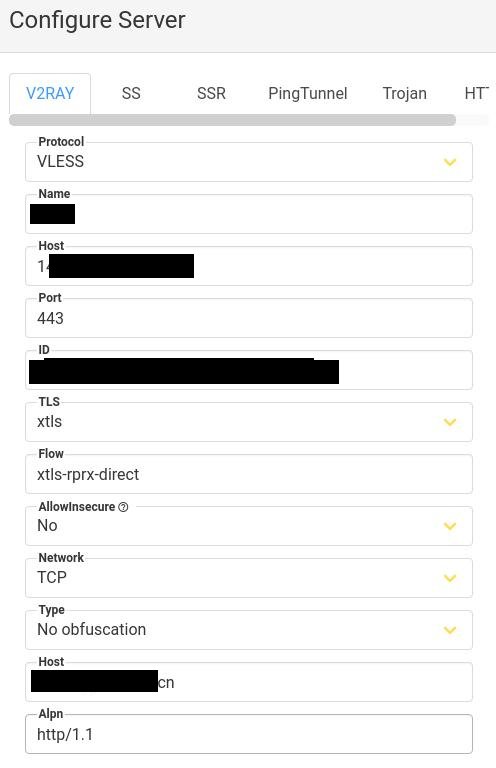
Now start via sudo v2raya, then you could use the proxy.